144Hz vs 240Hz Monitors: Does a Faster Refresh Make You Better?
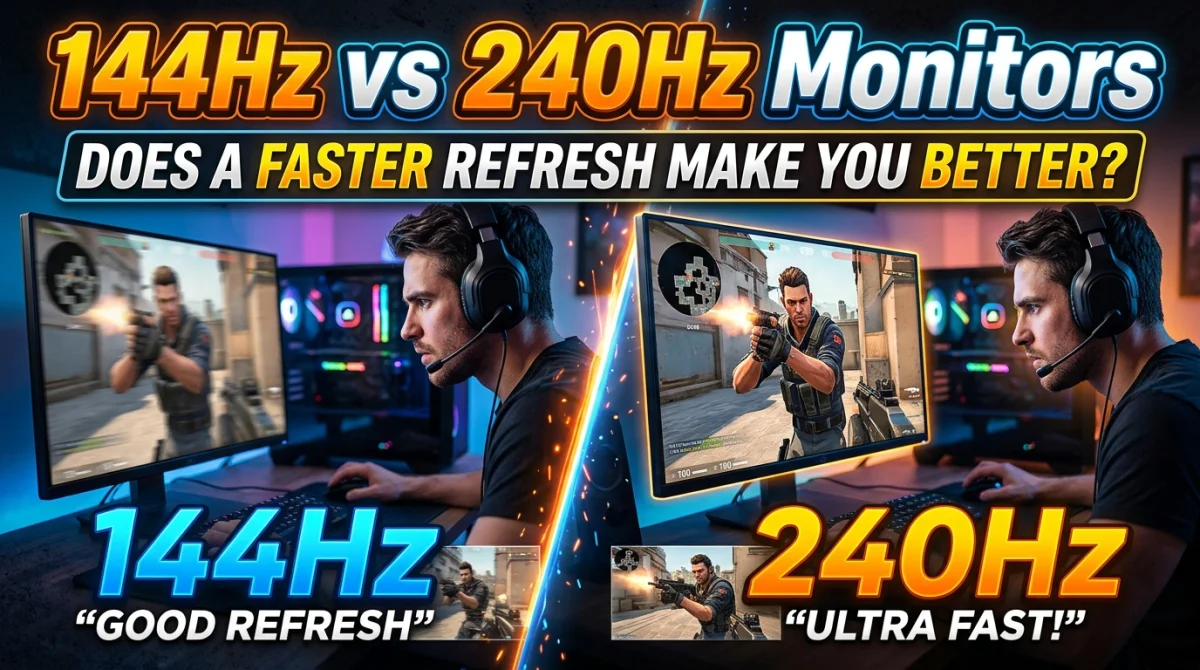
Your crosshair snaps and the game feels fast, but are you actually better? Monitor brands sell 240 Hz panels with promises of godlike aim, and esports pros swear by them. The real question is what a faster refresh rate does for your play and whether your skill improves with it. This guide compares 144 Hz and 240 Hz monitors with real numbers, breaks down the difference in frame visibility and latency, and tells you exactly who benefits from the upgrade. If you are choosing between your first high refresh screen and a top-end esports panel, you will know what your money actually buys.
Going from 144 Hz to 240 Hz cuts the time between frames from about 6.9 ms to 4.2 ms, a real but modest 2.7 ms of less latency per frame. It helps in fast-twitch titles like CS2, Valorant, and Overwatch, where smoother tracking and quicker target visibility matter. But the upgrade from 60 Hz to 144 Hz is far bigger, slicing frame time by over 10 ms. 240 Hz is a refinement, not a revolution.
What Refresh Rate Actually Does
Refresh rate is how many times per second your monitor redraws the image, measured in hertz. A 144 Hz panel shows a new frame every 6.9 ms, a 240 Hz panel every 4.2 ms. Higher rates mean smoother motion, less perceived blur, and lower added latency.
Frame Time Comparison
| Monitor | Frames per second | Time per frame |
|---|---|---|
| 60 Hz | 60 | 16.7 ms |
| 144 Hz | 144 | 6.9 ms |
| 240 Hz | 240 | 4.2 ms |
| 360 Hz | 360 | 2.8 ms |
The higher the number, the shorter each frame lives. Short frame time matters most when you track a moving target or react to something entering your peripheral vision.
144Hz vs 240Hz: The Measurable Difference
The step from 144 to 240 Hz removes roughly 2.7 ms per frame. To put that in context, a top-tier esports player reacts to visual cues in 150 to 200 ms. Two and a half milliseconds is a tiny slice of that total.
What changes more than raw latency is smoothness. At 240 Hz, motion is so fluid that fast panning looks almost flicker-free, and there is no visible gap between frames on most panels. That makes tracking targets in motion feel easier, especially in games where characters move fast and fights happen at range.
That said, the jump from 60 to 144 Hz is the one most players feel. If you are on 60 Hz today, the upgrade to 144 Hz is transformative, and it is also cheaper than a 240 Hz panel. For most players, 144 Hz is the sweet spot, and input lag elsewhere in your setup usually matters more than the extra hertz.
Does a Faster Refresh Make You Better?
Not on its own, no. A faster refresh removes a hardware limit, it does not add skill. But if the monitor was holding your tracking back, removing that ceiling can surface a few percent of improvement, especially on fast vertical motion and flicks.
Pros do prefer 240 Hz and higher, but they also play at extremely high skill levels where every millisecond counts. For a typical player, consistent frame pacing and stable FPS matter more than the panel's maximum. A 144 Hz monitor running a locked 144 FPS beats a 240 Hz panel stuttering between 120 and 180.
That consistency starts before the monitor. Even a great panel cannot fix settings that are silently ruining your FPS, and the rest of your pipeline needs to be stable for the refresh rate to pay off.
Who Should Buy a 240Hz Monitor
Buy 240 Hz if you fit one of these:
- You play competitive shooters seriously (Valorant, CS2, Overwatch, Apex) at ranks where 1-3 ms and fluid tracking matter.
- You can already push 200+ FPS in your main games, otherwise the panel sits idle.
- You have the GPU headroom and want the smoothest desktop motion too.
Skip it if you play mostly single-player, story, or strategy games. The extra hertz will do little for you, and the money is better spent on a faster GPU or settings for low-end PCs that raise your average FPS instead.
360Hz and Beyond: Diminishing Returns
At 360 Hz, frame time drops to 2.8 ms, another 1.4 ms saved over 240 Hz. Professional players can feel it, but the gains shrink every step. Panels above 360 Hz exist, and for most buyers the price premium is not worth a single-digit millisecond improvement. If you are considering extreme refresh rates, only do it after your CPU and GPU already run your main games at those frame rates.
Setting Up a High Refresh Monitor
A 240 Hz monitor running at 60 Hz is surprisingly common. Do this on setup:
- Check Windows settings: Display > Advanced > choose 240 Hz, not the default or 144 Hz.
- Enable the highest refresh in the game: most titles default to 60.
- Enable G-Sync or FreeSync if your GPU supports it, and cap FPS slightly below the refresh for stable frame times.
- Turn on Game Mode on the monitor's on-screen display.
For the complete picture of making a setup feel smooth, our optimize your PC or console guide covers refresh rate matching, frame caps, and the counters that prove it works.
Key Takeaways
- 144 Hz to 240 Hz removes about 2.7 ms per frame, a real but small gain.
- 60 Hz to 144 Hz is the upgrade most players actually feel.
- A faster refresh only helps if your FPS already matches or exceeds it.
- Pros prefer 240 Hz+, but consistent frame pacing beats peak hertz.
- Check Windows and in-game refresh settings, many panels ship at 60 Hz.
Frequently Asked Questions
Is 240Hz worth it over 144Hz?
For serious esports players who can push 200+ FPS, yes, the smoother motion and lower latency help. For casual and single-player play, the extra cost is rarely justified.
Can I run 240Hz with a mid-range GPU?
It depends on the game. Lightweight esports titles like Valorant and CS2 run well, while heavy AAA games usually cannot reach 240 FPS on mid-range hardware, so the monitor is only half the equation.
Does a 240Hz monitor reduce input lag?
It reduces display delay by about 2.7 ms per frame compared to 144 Hz, but total input lag also depends on your mouse, VSync, and game settings. Fix those first, then the hertz matter.
Conclusion
144 Hz is an excellent target for most players, and 240 Hz is a genuine but small step above it. The math is simple: a faster refresh cuts milliseconds, and milliseconds matter most in high-level esports. Whatever panel you choose, make sure the game actually runs fast enough to feed it, the refresh is set correctly in Windows, and your other latency settings are not cancelling out the upgrade.
Have you upgraded from 144 Hz to 240 Hz? Tell us if you felt the difference in the comments, share this guide with your upgrade shopping list, and subscribe for more honest gaming hardware advice.
Ready to play?
Puzzle, arcade, 3D, word & sports games for every age — instant play, no registration.
Comments
No comments yet. Be the first to share your thoughts!