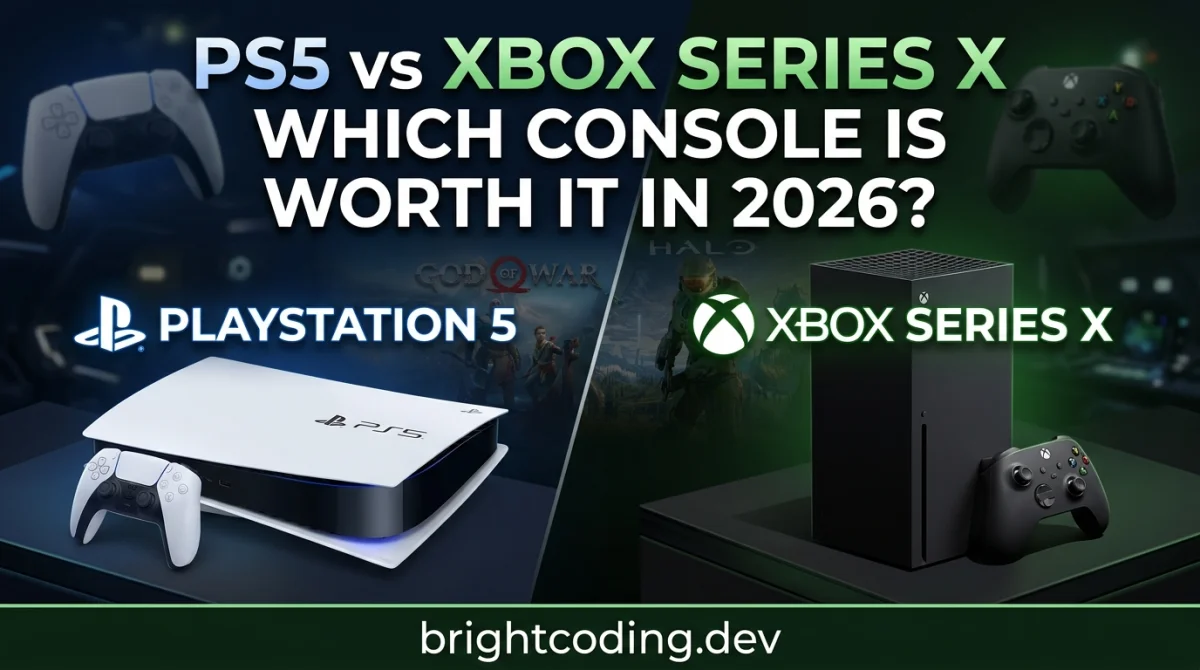
PS5 vs Xbox Series X: Which Console Is Worth It in 2026?
The Real Problem: You're Buying Into a Six-Year-Old Platform
You have $600 to $900 burning a hole in your pocket, a 4K TV sitting in your living room, and one nagging question: Should I buy a PS5 or an Xbox Series X in 2026?
Here's the uncomfortable truth most reviews won't lead with. Both consoles launched in November 2020. That means every spec sheet you're comparing - the Zen 2 CPUs, the RDNA 2 GPUs, the custom SSDs - is architecture that was already slightly behind the curve when these boxes first hit shelves. In 2026, we're not comparing two cutting-edge machines. We're comparing two very good, very mature platforms that are closer to the end of their lifecycle than the beginning.
So why does this decision still matter? Because despite their age, both consoles continue to receive major exclusives, subscription services are more competitive than ever, and the price gap between them has widened significantly thanks to Sony's 2026 price hikes. Make the wrong choice, and you're stuck with a $600+ regret for the next three to four years.
This guide cuts through the tribalism and gives you a practical framework for deciding which console actually fits your gaming life.
Why This Decision Feels Harder Than Ever
The paralysis happens for three reasons.
First, the spec sheets lie to you. On paper, the Xbox Series X has a 12 TFLOPS GPU versus the base PS5's 10.28 TFLOPS. In the real world, those numbers rarely translate to visible differences. Developers have repeatedly noted that the PS5's more efficient GPU compiler and higher clock speeds often allow it to match or exceed the Series X in actual game performance. The gap is a paper tiger.
Second, the "exclusive" landscape has blurred. Microsoft acquired Bethesda and Activision Blizzard, bringing Call of Duty, Diablo, and The Elder Scrolls under the Xbox umbrella. Yet many of those games still launch on PlayStation. Meanwhile, Sony's biggest hits - God of War, Spider-Man, The Last of Us - remain firmly locked to PS5. The question isn't "which has more games?" It's "which has the games you can't live without?"
Third, pricing has become volatile. Sony raised PS5 prices significantly in early 2026. The base PS5 now retails at $649.99 in the US, while the PS5 Pro sits at a staggering $899.99 - and that's without a disc drive or vertical stand. Microsoft's Xbox Series X, meanwhile, holds at roughly $649.99, with the digital-only version at $599.99. That $200 to $250 gap is real money, and it forces a value calculation that didn't exist two years ago.
The Three Realistic Paths Forward
Option 1: Buy the Base PS5 (or PS5 Slim)
What it is: The standard PlayStation 5 with a 1TB SSD, disc drive, and the full PS5 game library.
How it works: You get access to Sony's exclusive catalog - God of War Ragnarök, Marvel's Spider-Man 2, Ghost of Tsushima, and upcoming titles like Ghost of Yōtei. The DualSense controller remains the most immersive piece of input hardware in console gaming, with haptic feedback and adaptive triggers that genuinely change how games feel.
Advantages:
- Unmatched exclusive first-party library
- DualSense controller is genuinely next-generation
- Faster custom SSD (5.5GB/s) than Xbox's 2.4GB/s
- Largest player base for multiplayer matchmaking
Disadvantages:
- $649.99 price point (post-2026 hike) is steep for six-year-old hardware
- Only backward compatible with PS4 games
- 825GB to 1TB storage fills up fast with modern 100GB+ installs
- Proprietary storage expansion is expensive
When it makes sense: If you care about narrative-driven single-player experiences, if you value the DualSense immersion, or if your friends all play on PlayStation. This is the choice for gamers who want the "event" games - the titles that dominate conversation for months after release.
Cost considerations: Budget for a storage expansion (NVMe SSD, $100 - $150) and a PlayStation Plus subscription ($80/year for Essential, up to $160 for Premium).
Option 2: Buy the PS5 Pro
What it is: Sony's mid-generation upgrade, released in November 2024, featuring a 16.7 TFLOPS GPU, 2TB SSD, and PSSR (PlayStation Spectral Super Resolution) AI upscaling.
How it works: It targets native 4K at 60fps in optimized titles, with enhanced ray tracing and AI-driven image reconstruction. Think of it as the "performance mode" becoming the default.
Advantages:
- 60% more GPU power than base PS5
- 2TB internal storage (finally enough for a modern library)
- PSSR upscaling is competitive with AMD's FSR 4
- Best console performance available in 2026
Disadvantages:
- $899.99 price tag is console territory bordering on PC pricing
- No disc drive included (add $79.99)
- No vertical stand included (add $29.99)
- Same Zen 2 CPU as the base model - the bottleneck in CPU-heavy games
- Diminishing returns if you don't own a high-end 4K display
When it makes sense: Only if you own a premium 4K/120Hz TV and want the absolute best console visual experience. For most buyers in 2026, the base PS5 or Xbox Series X delivers 90% of the experience for hundreds of dollars less.
Cost considerations: All-in cost approaches $1,000 with accessories. At that point, you should honestly consider whether a gaming PC is the smarter long-term investment.
Option 3: Buy the Xbox Series X
What it is: Microsoft's flagship console with a 12 TFLOPS GPU, 1TB SSD, and full backward compatibility across four generations of Xbox.
How it works: You get access to Xbox Game Pass Ultimate, which includes day-one releases of first-party Microsoft games, Bethesda titles, and now Call of Duty entries. Quick Resume lets you suspend multiple games and switch between them in seconds.
Advantages:
- Best value subscription service in gaming (Game Pass)
- Backward compatibility with Xbox, Xbox 360, and Xbox One games
- Quick Resume is genuinely life-changing for busy gamers
- Slightly lower price than PS5 in most regions
- Dolby Vision and Atmos support
Disadvantages:
- Weaker exclusive first-party library (many titles now come to PlayStation too)
- Slower SSD than PS5
- Smaller active player base
- Microsoft's future hardware strategy is unclear - will there even be a traditional Xbox successor?
When it makes sense: If you play a wide variety of games rather than focusing on a few big exclusives, if you value backward compatibility with an older library, or if Game Pass's buffet-style catalog matches your "try everything" personality. It's also the better choice if you're unsure what genres you enjoy - you can explore broadly without buying individual titles.
Cost considerations: Game Pass Ultimate runs ~$17/month ($204/year). Over a four-year console lifespan, that's over $800 in subscription fees on top of the hardware.
Which Console Is Actually Best for You?
The answer depends on your gaming DNA, not a spec sheet.
| If you are... | Buy this |
|---|---|
| A story-driven gamer who wants cinematic exclusives | PS5 |
| A performance enthusiast with a premium 4K TV | PS5 Pro (if budget allows) |
| A variety gamer who plays 20+ titles per year | Xbox Series X + Game Pass |
| Someone with a large Xbox 360/One library | Xbox Series X |
| Playing mostly multiplayer with friends | Whatever your friends own |
| On a tight budget | Xbox Series S ($399) or wait for sales |
Here's the honest takeaway: There is no "winner." The PS5 has sold roughly 80 to 92 million units compared to Xbox's estimated 34 million, but market share doesn't equal personal fit. The PS5 is the better prestige console. The Xbox Series X is the better value console for prolific players.
Before you commit, spend some time exploring what you actually enjoy. Platforms like GamingUp offer over 190 free browser games across every major genre - from FPS to racing to RPGs - with no downloads required. Test a few genres. Use their free gaming tools and calculators to compare performance metrics. If you discover you love competitive shooters, that might push you toward the console with the better controller (PS5) or the better subscription value (Xbox). If you fall for narrative RPGs, PlayStation's exclusive catalog becomes irresistible.
Your Step-by-Step Action Plan
Phase 1: Research (This Weekend)
- List the 5 games you absolutely must play in the next 12 months.
- Check which console(s) each game is available on.
- Count how many are PlayStation exclusives versus available on both.
- Ask your three most frequent gaming friends which console they use.
Phase 2: Hands-On Testing (Next Weekend) 5. Visit a retail store and hold both controllers. The DualSense and Xbox controller feel very different in hand. 6. Test the UI on a display model. Sony's interface is flashier; Microsoft's is more utilitarian. 7. Try a few free browser games on GamingUp to confirm which genres actually hold your attention.
Phase 3: Financial Planning (Before Purchase) 8. Calculate total cost of ownership: console + subscription + 2 must-have games + storage expansion. 9. Check for bundles. Retailers often include a game or extra controller at little to no extra cost. 10. Set a price alert if you're not in a rush. Post-holiday and mid-year sales can save $50 - $100.
Phase 4: Purchase & Setup (Day 1) 11. Buy from an authorized retailer with a solid return policy. 12. Immediately update the system software before installing games. 13. Set up parental controls if needed, and configure power settings to avoid excessive energy draw. 14. Download your subscription service (PS Plus or Game Pass) and claim the monthly free titles.
Common Mistakes to Avoid
-
Buying for specs, not games. A 16.7 TFLOPS GPU means nothing if the games you want to play are on the other platform. Always lead with the software library.
-
Ignoring subscription costs. Game Pass seems cheap at $17/month until you realize it's $204/year, every year. Factor this into your five-year budget.
-
Buying the PS5 Pro without a 4K/120Hz TV. If your display is 1080p or a basic 4K60 panel, you're paying for performance you cannot see.
-
Assuming Xbox exclusives will stay exclusive. Microsoft's strategy has shifted toward multi-platform releases. Don't buy an Xbox only for future exclusives that may land on PlayStation anyway.
-
Forgetting about storage. A 1TB console holds roughly 8 to 10 modern AAA games. Budget for expansion from day one.
-
Ignoring backward compatibility. If you have 50 Xbox 360 games in a closet, the Series X is a no-brainer. If your last console was a PS4, the PS5 makes more sense.
-
Buying at full price in 2026. Both consoles are mature. Sales, bundles, and refurbished units are widely available. Patience saves money.
Expert Takeaway
The most important lesson in 2026 is this: The console is just the entry fee. The ecosystem is the real cost. Sony wants you in the PlayStation ecosystem for its exclusives and premium hardware. Microsoft wants you in the Xbox ecosystem for Game Pass and cross-platform value. Neither strategy is wrong. But only one aligns with how you actually play.
If you buy the PS5, you're buying into a curated gallery of must-play experiences. If you buy the Xbox Series X, you're buying into an all-you-can-eat buffet. Both fill you up. The question is which meal you actually want.
FAQ
Is the PS5 Pro worth the extra $250 over the base PS5 in 2026? Only if you own a high-end 4K/120Hz display and prioritize visual fidelity. For the average gamer on a standard 4K TV, the base PS5 delivers nearly the same experience at a significantly lower price.
Does Xbox Game Pass include all the same games as PlayStation Plus? No. Game Pass focuses on day-one Microsoft first-party releases and a rotating third-party catalog. PlayStation Plus Premium includes access to classic PS1, PS2, and PS3 titles via cloud streaming, plus a smaller selection of modern games. The libraries overlap but serve different purposes.
Will Xbox Series X games run better than PS5 games? Rarely. Despite the Xbox Series X having more raw TFLOPS on paper, the PS5's more efficient GPU compiler and higher clock speeds often produce equal or better real-world performance. In practice, most multiplatform games run identically on both.
Should I wait for the next generation instead of buying in 2026? If you can wait until 2027 or 2028, yes. Both Sony and Microsoft are actively developing next-generation hardware. However, if you're gaming now and don't want to wait 18+ months, both current consoles still deliver excellent experiences.
Can I play free browser games to test genres before buying a console? Absolutely. Sites like GamingUp offer nearly 200 free browser games across every genre, plus gaming calculators and aim trainers. It's a risk-free way to discover what you enjoy before committing to a $600+ purchase.
Ready to play?
Puzzle, arcade, 3D, word & sports games for every age — instant play, no registration.
Comments
No comments yet. Be the first to share your thoughts!