The Best Camera View for Winning Racing Games
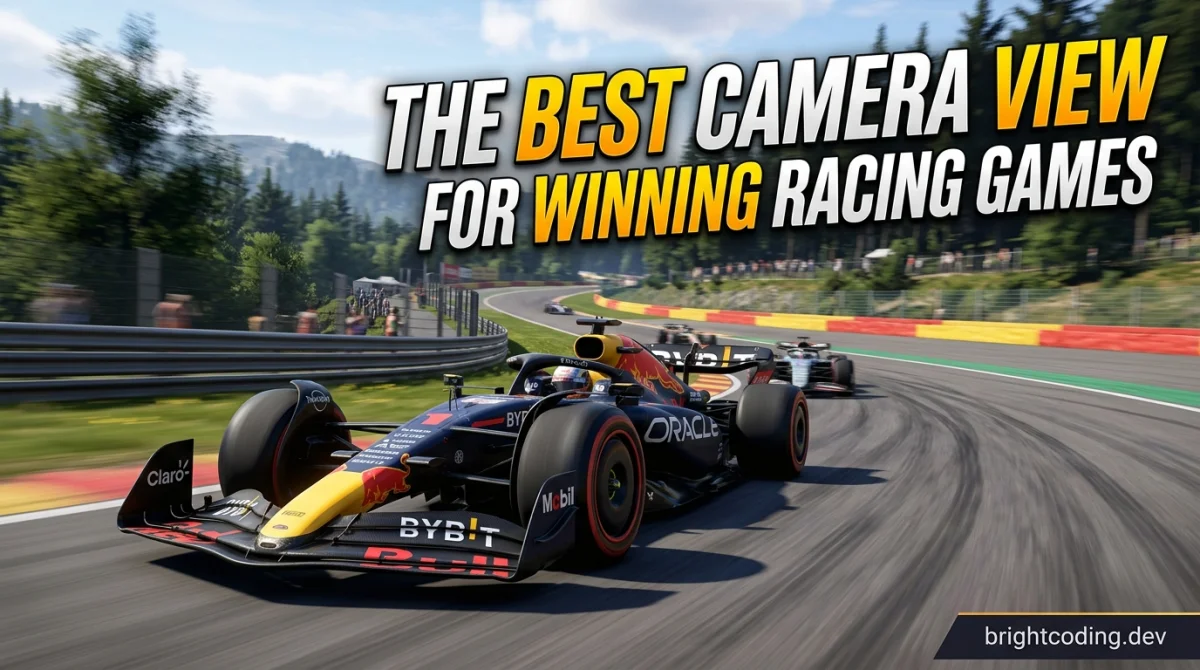
You are three corners from the finish, half a second ahead, and your bumper view is showing you nothing but tarmac and a wall that is getting closer. Do you trust the setup or swap cameras mid-race? That is the dilemma this article is about.
Racing games give you a camera menu for a reason. Chase cam, hood cam, bumper cam, cockpit, and the odd TV-style broadcast angle all change what you can see, how you feel speed, and how precise your inputs become. None of them is universally "best", and anyone who tells you otherwise is probably just repeating what a fast YouTuber said.
What actually matters: your field of view, how well you can judge the car's width and the track's edges, how quickly you read upcoming corners, and how the camera interacts with your setup (wheel, pad, or keyboard). Let's go through the real options honestly.
Chase cam: the comfortable default
The camera sits behind and slightly above the car. It is what most racing games boot into, and for good reason.
Pros: You see the whole car and the road ahead, so judging gaps in traffic is easy. The sense of the car's position relative to kerbs and walls is intuitive. It is forgiving when you clip an apex or drift wide, because you can see your mistake coming.
Cons: The car itself blocks a slice of the road right where you want to look on tight corners. The camera lags behind your steering, which blurs the connection between input and response. Information about grip and weight transfer arrives late, which hurts you when you are chasing tenths.
Who it suits: Casual players, arcade racers, anyone on a controller who wants to enjoy the scenery. If you are dipping into our free browser-games hub for a quick arcade blast, chase cam is almost certainly where you should stay.
Hood cam and bumper cam: the competitive sweet spot
These are the two most popular choices among serious players, and they are different enough to deserve separate treatment.
Hood cam (camera on the bonnet, looking forward) gives you a clean view of the road with a sliver of the car's nose for reference. Bumper cam (at the front of the car) removes the car from view entirely.
Pros: You see more of the track, especially the apex you are aiming for. Steering feels direct because there is no camera lag between you and the car. Judging your line becomes a matter of reading the road, not the bodywork. Most competitive communities in sim and simcade titles lean toward these views for exactly this reason.
Cons: Without the car in frame, judging your width takes practice. Bumper cam in particular makes close racing nerve-wracking because you cannot see where your rear wheels are. Some players find the low viewpoint disorienting on elevation changes, and a few games render bumper cam with a cramped field of view that hides side-by-side traffic.
Who it suits: Players chasing lap times, anyone doing ranked or league racing, and controller users who want more feedback from the car. If you are working through our rank-up competitive guides, switching to hood cam is often the single biggest free upgrade available to you.
Cockpit view: immersion with a cost
You are sitting inside the car, dashboard and wheel in frame.
Pros: Unmatched immersion, and in well-made sims the dashboard gives you real information: revs, gear, mirrors, sometimes telemetry. Many players find their braking improves because the cockpit frames the corner in a way that feels natural.
Cons: The A-pillars and roof eat your peripheral vision. On a single monitor the view can feel like looking through a letterbox, which is why cockpit players often run a wider field of view or a triple-screen setup. On a small TV across the room, cockpit can be genuinely harder to read than hood cam.
Who it suits: Sim racers, wheel owners, and anyone who plays for the feel rather than the leaderboard. If that is you, our game genres explained hub is a good place to find sims that reward this approach.
TV and broadcast cameras: fun, not fast
Some games offer a trackside or replay-style angle. They look spectacular.
Pros: Great for replays, screenshots, and showing off a clean overtake to a friend.
Cons: Terrible for driving. You cannot judge your line or your braking points reliably. Treat these as a spectator mode, not a racing camera.
What about field of view and other settings?
Camera choice is only half the job. Field of view (FOV) changes how much you see and how fast everything appears to move. A wider FOV shows more of the track but stretches the edges and can make distances harder to judge. A narrower FOV feels calmer but hides cars alongside you.
There is no magic number. Adjust FOV until the track edges feel honest to you, then leave it alone for a few sessions before judging. Constantly fiddling with settings is its own form of losing.
Other settings worth pairing with your camera: turn off or reduce motion blur (it smears the road at speed), check whether your game has a "look to apex" or cockpit-look option, and map a camera-swap button so you can compare views on the same corner rather than from memory. Our free gaming tools page has utilities that can help you log lap times while you test.
Comparison at a glance
| Camera | Track visibility | Car feedback | Immersion | Learning curve | Best for |
|---|---|---|---|---|---|
| Chase | Good ahead, car blocks centre | Delayed, vague | Medium | Low | Casual, arcade, controller |
| Hood | Very good | Direct | Medium | Medium | Competitive, lap times |
| Bumper | Very good, no car reference | Direct, width hard to judge | Low | Medium to high | Time attack, hot laps |
| Cockpit | Limited by pillars and roof | Direct, framed by dash | Highest | High | Sim racing, wheel users |
| TV / broadcast | Poor for driving | Minimal | High for spectators | Not recommended | Replays, screenshots |
Which one should you choose?
Casual player: Chase cam. It is forgiving, it looks good, and you are here to have fun. Do not let anyone guilt you into bumper cam.
Competitive player: Start with hood cam. It gives you the visibility of bumper cam with a bit of car reference for width. Once you are comfortable, try bumper cam for hot laps and see which one your lap times actually prefer. Test over several sessions, not one lap.
Budget gamer on a small screen: Hood cam or chase cam. Cockpit view on a small monitor is the hardest to read, and you should not spend money chasing a setup problem that a camera change might fix.
Parent buying for a kid: Leave the default chase cam alone. It is the easiest to learn on, and most kids will experiment with the camera menu themselves within a week anyway.
Wheel owner: Cockpit view is worth the learning curve. The dashboard information and the natural framing often pay for the lost peripheral vision.
One more thing: whatever you pick, give it at least a few hours before you decide. Camera swaps feel wrong for the first twenty minutes and then click. If you want more driving tips and setup advice, the tips, tricks and guides hub is the place to dig deeper.
FAQ
Is bumper cam actually faster than chase cam? For many players, yes, because it removes camera lag and shows more road. But it is not universal. Some very fast players use chase cam. The only test that matters is your own lap times over several sessions.
Can I change camera mid-race? In most games, yes, usually via a mapped button or a menu. Use it to compare views on a specific corner, but do not make a habit of swapping mid-race; it breaks your rhythm.
Does cockpit view work on a single monitor? It can, especially with a sensible FOV. It is harder on small screens. Try it for a few sessions before writing it off.
What FOV should I use? There is no single correct number. Widen it until side-by-side traffic is visible, then narrow it if distances feel distorted. Verify any recommended values against your specific game's community, since they vary.
Does camera choice matter in arcade games? Less than in sims, but it still matters. Arcade games often tune their handling around chase cam, so switching can feel odd even if it helps your lap times.
Final takeaway
The best racing camera is the one that lets you read the track and feel the car without fighting the screen. Chase cam is the friendliest. Hood and bumper cams are the sharpest tools for lap times. Cockpit is the most rewarding if you are willing to invest in it. Pick one, set your FOV sensibly, and then stop tinkering and start lapping.
Ready to play?
Puzzle, arcade, 3D, word & sports games for every age — instant play, no registration.
Comments
No comments yet. Be the first to share your thoughts!