ABS, Traction Control and Stability Control Explained for Racing Gamers
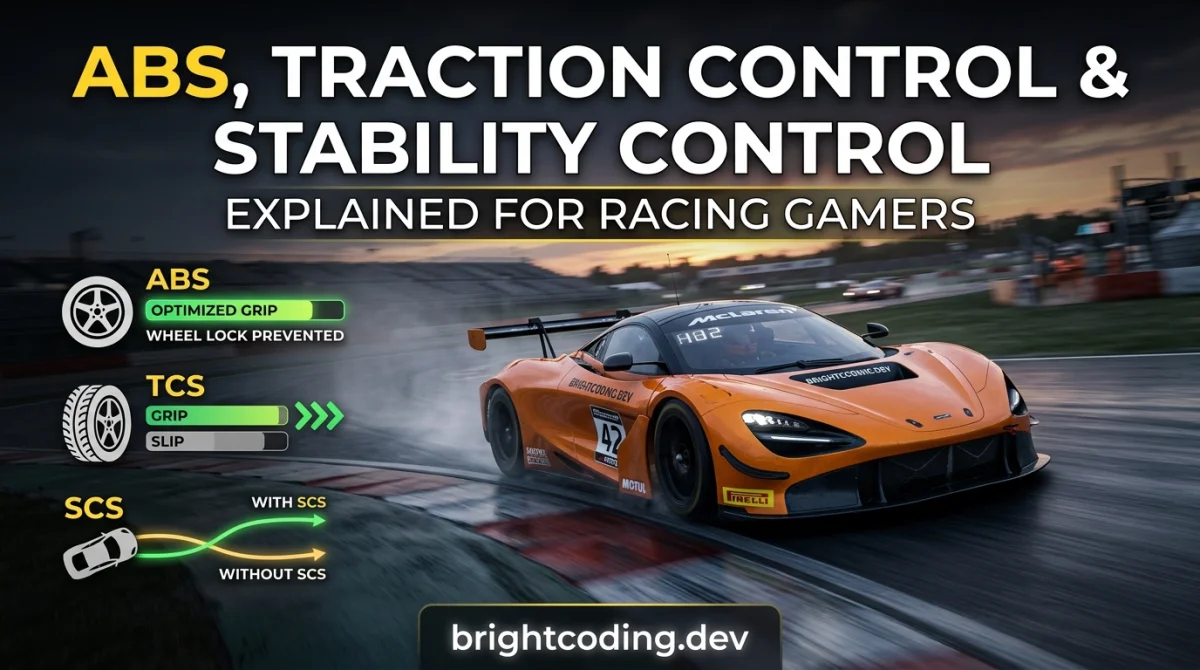
You know that little row of letters at the bottom of the screen. ABS. TCS. Some version of ESC or "stability." You've probably toggled them without really knowing what each one does to your lap time. Ten minutes from now you'll know exactly what every one of those assists is doing to your car, when to leave it on, and when to switch it off and take the wheel properly. Grab a car you know well and a track you can drive half asleep, and let's go.
What you need before you start
- Any racing game with assist settings (most of the big sims and arcade racers have them buried in a driving aids menu).
- One car you're comfortable in, ideally rear-wheel drive so you can actually feel the differences.
- One short track or a practice session you can lap repeatedly.
- A controller or wheel you're used to. Don't change your input device mid-test or you'll blame the assists for your own mistakes.
Step 1: Learn what each assist actually does
Before you touch a menu, get the mental model right, because these three systems solve three different problems.
ABS (Anti-lock Braking System) stops your wheels locking under braking. When wheels lock, you lose steering and you slide straight on. ABS pumps the brakes faster than any human foot, letting you brake hard and still turn. In a game, ABS usually means a small loss of ultimate stopping power in exchange for not binning it every time you're clumsy.
Traction Control (TCS) stops the driven wheels spinning up when you get on the power. Too much throttle out of a slow corner and the rear wheels light up, the car steps sideways, and you're facing backwards. TCS cuts power to keep grip. It makes you safe and, at high settings, slow.
Stability Control (ESC, sometimes "steering assist" or "stability management") is the safety net of the three. It watches for the car sliding sideways beyond a threshold and nudges you straight, often by braking individual wheels. It catches spins you didn't even know were happening. That's exactly why it feels like the game is driving for you.
Why this matters: once you can tell which system is interfering, you can fix the right problem. Understeering into a corner is a braking or ABS issue. Spinning on exit is traction control. Getting snapped straight mid-corner is stability control.
Tip: In most games, the assist icons flash or light up when they're actively working. Stare at that corner of the screen for a few laps. It's the cheapest telemetry you'll ever get.
Step 2: Set a baseline with everything on
Load your practice session with ABS, TCS and stability all at their maximum or "full" setting. Do five clean laps. Note your lap time, but more importantly, note where the car feels like it's fighting you.
Why this matters: you need a reference point. Every change you make from here gets compared to this lap, not to some vague feeling. Full assists are also a genuine safety net if you're brand new to racing controls, so there's no shame in starting here.
Tip: Save a screenshot or write the time down. You will absolutely convince yourself you remember it later, and you won't.
Step 3: Turn off stability control first
Stability control is the biggest thief of feel. Switch it to off (or the lowest setting) and leave ABS and TCS where they are. Do another five laps.
Why this matters: stability control masks the car's natural balance, so you never learn what the chassis is telling you. With it off, you'll feel the rear start to rotate on corner entry and exit. That sensation is the foundation of everything else.
Expect to spin. That's the point. A spin here is information, not failure.
Tip: If the game has an intermediate stability setting, use it for a session before going fully off. Going cold turkey on a twitchy car is how controllers get thrown.
Step 4: Dial back traction control
Now reduce TCS one notch at a time, lapping a few times at each level. The goal is the lowest setting where you can still get on the power out of slow corners without the car snapping.
Why this matters: high TCS cuts power early and hard. You'll feel it as the car going flat or "bogging" when you're trying to launch out of a hairpin. Lower TCS gives you more of the engine's actual output, which is free lap time if you can keep the rear planted.
Tip: On a wheel, feed the throttle in progressively rather than stamping it. On a controller, trigger pressure is everything; most modern controllers have enough travel to modulate. If yours doesn't, consider leaving TCS one notch higher.
Step 5: Decide on ABS last
ABS is the one I'd argue about with you. Turning it off gives you more braking control and slightly shorter stopping distances in a straight line, but you now have to brake at the threshold of lockup yourself, and that takes real practice.
Why this matters: if you're on a controller, ABS off is genuinely hard because you can't feel the pedal. On a load-cell wheel and pedals, it's more achievable. There's no universal right answer; it depends on your hardware and how much you want to invest.
Tip: If you race online in ranked lobbies, check the lobby rules first. Many competitive communities mandate specific assist settings, and the rank-up competitive guides at GamingUp's competitive section are a good place to see how seriously different scenes treat this.
Step 6: Find your personal assist combo with a lap test
Now you have a feel for all three. Run a structured test: five laps at full assists, five at your "target" combo, five at everything off. Write down the times honestly.
| Assist setup | Lap time (yours) | Spins per 5 laps | How it felt |
|---|---|---|---|
| All on (max) | |||
| Your target combo | |||
| All off |
Why this matters: the fastest setup is the one that's fastest for you, and that changes as you improve. A combo that costs you two seconds today might be the fastest thing in a month. Re-run this test occasionally.
Tip: Don't chase the fastest single lap. Chase five laps you didn't crash on. Consistency wins races; hero laps don't.
Step 7: Practice the skills each assist was hiding
With assists reduced, you now have to do the work yourself. That means three things: braking in a straight line before turning in, squeezing the throttle progressively on exit, and catching small slides with a quick steering correction rather than a panic lift.
Why this matters: assists aren't magic, they're just automated versions of these skills. Learn the skill and you won't miss the assist.
Tip: Spend ten minutes a session on one skill only. Braking points for one session. Throttle control the next. It feels slow and it works.
Pro tips
- Turn assists down, not off, for a new car. Learn the car with a safety net, then remove it. Jumping straight to zero assists in an unfamiliar machine teaches you nothing but frustration.
- Assists cost the most in slow corners and the least on straights. If you're testing, do it on a track with hairpins and chicanes, not a speed oval.
- Watch the assist indicators, not just the car. If TCS is flashing constantly, you're overdriving the corner, not fighting the setting.
- Match assists to your input device. Controller players usually benefit from keeping some ABS and TCS. Wheel and pedal users can push toward zero more aggressively. There's no prize for suffering.
- Check the daily challenge for a low-stakes test bed. Short, repeatable events on the GamingUp daily challenge are a great place to try a new assist combo without risking a long race.
- Revisit your settings after a break. Your inputs get sloppy after a week off, and the assists you switched off might be worth switching back on for a session.
Common pitfalls
Pitfall 1: Turning everything off on day one. You'll spin constantly, conclude the game is unfair, and quit. Fix: remove one assist at a time, over several sessions.
Pitfall 2: Believing "no assists" is automatically faster. It's faster once you have the skills. Before that, it's just more crashes per lap. Fix: run the lap test in Step 6 and trust your own numbers, not forum bragging.
Pitfall 3: Ignoring the lobby or game mode rules. Some ranked play and league racing restricts assists. Fix: read the rules before you tune your setup. The tips, tricks and guides hub is a reasonable place to start if you're unsure what a given scene expects.
Pitfall 4: Changing assists and car setup at the same time. You won't know which change did what. Fix: change one thing per session.
Pitfall 5: Forgetting that assists behave differently per game. ABS in one sim isn't the same as ABS in an arcade racer. Fix: when you switch games, run a quick baseline session again. Five laps, that's all.
Useful resources
- The in-game telemetry or telemetry apps if your game supports them: the most direct way to see what the assists are doing.
- Game-specific setup and assist forums, plus the official patch notes, since assist behaviour changes between updates.
- The GamingUp blog for general racing coverage, and the game genres explained hub if you want to understand how sims, simcades and arcade racers differ in how much assists matter.
- Free browser racers on the GamingUp games hub for quick practice when you don't want to boot a full sim.
FAQ
Do assists make me slower? Usually yes, but not always, and not by as much as people claim. A low TCS setting sometimes costs you nothing at all. Full stability control is the one that most consistently costs lap time. Test it yourself.
Should I use ABS with a controller? Most controller players are better off leaving ABS on, because you can't feel the brake pedal locking. On a wheel with pedals, it's worth learning to brake without it.
What's the single most important assist to turn off? Stability control. It hides the car's balance and stops you learning the most important skill in racing: feeling the rear slide. Remove that one first.
Is turning assists off required for online racing? Depends entirely on the game and the lobby. Many competitive scenes restrict them. Check the specific rules; don't assume.
I turned everything off and got slower. What now? That's normal. Go back one notch on the assist that you spin the most with, rebuild your confidence, and try again in a week. Progress is not linear.
One last thing
Assists aren't training wheels you should be embarrassed about. They're tools, and good drivers use the right tool for the job. Start with the baseline, remove one thing at a time, and let your own lap times tell you the truth. Then get out there and drive.
Ready to play?
Puzzle, arcade, 3D, word & sports games for every age — instant play, no registration.
Comments
No comments yet. Be the first to share your thoughts!