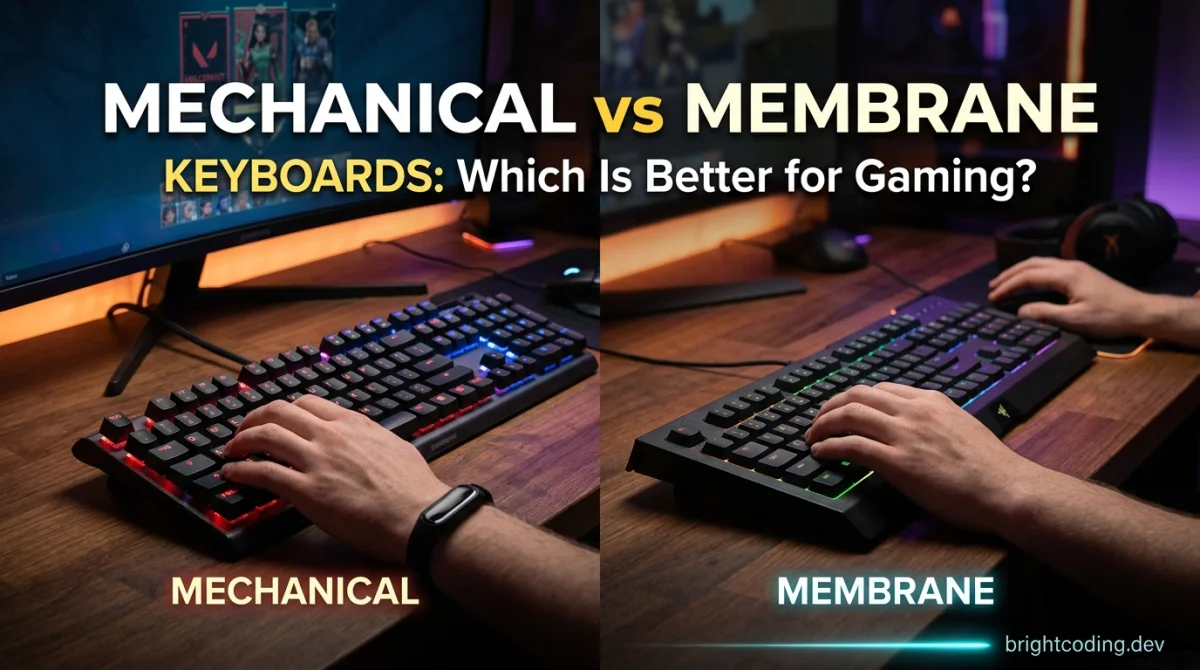
Mechanical vs Membrane Keyboards: Which Is Better for Gaming?
So you’re staring at a wall of keyboards, and the price tags range from "cheap lunch" to "used car." The big split is always mechanical vs membrane, and it’s a real dilemma because both camps have loud, loyal defenders. You want something that won’t hold you back in a firefight, but you also don’t want to blow your whole budget on a peripheral.
Here’s the thing: the "best" keyboard isn’t a fixed object. It depends on how seriously you play, how much you hate noise, and whether you’d rather spend the extra cash on a game or a new mouse. Let’s break down what actually matters for gaming.
What’s the Real Difference? (And Why It Matters for Gaming)
Membrane keyboards use a single rubber dome layer under the keys. When you press down, you push the dome until it collapses and makes contact. They’re cheap to make, quiet-ish, and they’ve been the default for decades.
Mechanical keyboards use individual switches under every key. Each switch has its own spring and mechanism, which means they feel different, sound different, and register presses faster. They’re also modular, so you can swap keycaps and sometimes even the switches themselves.
For gaming, the difference comes down to three things: feedback, actuation point, and durability. A mechanical switch registers the keystroke higher up in the press, which can mean a fraction of a second faster response. That might sound like marketing fluff, but in a fast-paced shooter or a fighting game, those milliseconds add up over a long session.
Mechanical Keyboards: The Gamer’s Choice (With Caveats)
Most competitive players and streamers you see use mechanical boards, and it’s not just for the RGB glow. The tactile or audible click tells your brain the key registered without you having to bottom out. That feedback loop is genuinely useful when you’re spamming abilities or trying to nail a perfect counter-strafe.
The variety of switches is a big plus. You’ve got linear switches (smooth, fast, good for rapid tapping), tactile switches (a bump you can feel), and clicky switches (loud and proud). You can pick the feel you prefer, and you can even get "silent" mechanical switches if noise is an issue.
Durability is another win. Most mechanical switches are rated for 50-100 million keystrokes, while membrane boards usually tap out around 5-10 million. If you play daily, a good mech can outlast several membrane replacements.
The downsides are real, though. Price is the big one - you’re usually looking at roughly $60 - $200 for a decent mechanical board, and enthusiast models go way beyond that. They’re also heavier and taller, which means you might want a wrist rest. And unless you buy silent switches, they’re loud. If you share a room or play late at night, clicky switches can start a war.
Who it suits: Competitive players, people who type a lot too, and anyone who’s tired of replacing cheap boards every year. If you want to tinker with keycaps or try different switch feels, mechanical is the only real option.
Membrane Keyboards: The Budget Workhorse
Let’s not pretend membrane boards are bad. They’re fine for most games, and they’ve improved a lot. Many modern ones have "mechanical feel" or "gaming-grade" membranes with a tactile bump that mimics a mech switch, and some even have per-key RGB lighting now.
The price is the killer feature. You can get a perfectly usable membrane keyboard for $15 - $40, and many come with extra media keys or a wrist rest included. If you’re just starting out or you only game a few hours a week, paying $100+ for a keyboard is hard to justify.
They’re also quiet and low-profile. If you’re gaming in a shared space or an office, a membrane board won’t draw attention. They’re lighter and easier to pack into a bag for LAN parties or travel, too.
The trade-offs show up over time. The rubber domes can get mushy after heavy use, and the actuation point is less consistent - you have to press further down to register a key. That’s fine for slower games like turn-based strategy or casual platformers, but it can feel laggy in a competitive shooter where you’re double-tapping keys constantly.
Who it suits: Casual players, kids, anyone on a strict budget, and people who play in quiet environments. If you’re not sure you’ll stick with a game long-term, a membrane board is a low-risk start.
The Comparison Table
| Criterion | Mechanical | Membrane |
|---|---|---|
| Price range (approx.) | $60 - $200+ | $15 - $60 |
| Key feel | Crisp, consistent, varied by switch type | Soft, mushy over time |
| Actuation point | Higher up, faster response | Deeper press required |
| Noise level | Loud to moderate (switch-dependent) | Generally quiet |
| Durability | 50-100M keystrokes | 5-10M keystrokes |
| Customization | Swappable keycaps and switches | Minimal to none |
| Best for | Competitive and frequent gamers | Casual play and tight budgets |
Which One Should You Choose?
If you’re a competitive player - ranked grinders, tournament hopefuls, or anyone who plays shooters or MOBAs for hours daily - get a mechanical keyboard. The consistent actuation and faster response are worth the money. Look for linear switches if you want speed, or tactile if you want feedback without the noise.
If you’re a budget gamer, start with a good membrane board and save the difference. Put that cash toward a better mouse or a game you’ll actually play. When the membrane starts feeling mushy in a year or two, you can step up to a budget mechanical (there are decent ones around $40 - $60) if you want.
If you’re a casual player who jumps between games and only plays a few sessions a week, membrane is honestly fine. The bottleneck in your setup is rarely the keyboard at that level.
If you’re a parent buying for a kid, get a cheap membrane board first. Kids spill things, they smash keys when they lose, and they change interests fast. A $20 board that survives a juice spill is better than a $150 board that doesn’t.
If you hate noise but want performance, look for mechanical keyboards with silent linear switches (like Cherry MX Red Silent or similar). They cost more, but they give you the mech benefits without sounding like a typewriter.
FAQ
Does a mechanical keyboard actually make you better at games? Not by itself. It makes your inputs more consistent and can shave a few milliseconds off your response time, but it won’t fix your aim or game sense. Think of it as a small edge, not a cheat code.
What are the best switches for FPS games? Linear switches like Cherry MX Red or Speed Silver are popular because they have no bump and a smooth press, which makes rapid tapping easier. It’s personal preference though - some pros use tactile switches. Try a switch tester if you’re unsure.
Are "mechanical feel" membrane keyboards worth it? They’re a decent middle ground. They feel better than standard membranes, but they don’t have the same durability or consistency as true mechanical switches. If you can stretch to a budget mech, that’s usually a better long-term buy.
Can I use a mechanical keyboard for typing and gaming? Yes, and many people prefer it. Tactile switches like Cherry MX Brown are a popular all-rounder for both gaming and typing. You’ll also find that heavy typists often prefer the feedback of a mech board.
How long do membrane keyboards last? It depends on usage, but expect 2-5 years of moderate gaming before the keys start feeling inconsistent. Mechanical boards can easily last a decade or more with regular cleaning.
Final Takeaway
There’s no universal winner here. If you’re pouring hours into competitive games and you want gear that keeps up, a mechanical keyboard is a solid investment you’ll likely keep for years. If you’re gaming casually or watching your wallet, a modern membrane board will get the job done without embarrassing you.
The only wrong move is buying an overpriced "gaming" membrane keyboard that costs as much as a budget mech without the benefits. Whatever you pick, spend a little time adjusting the settings in your games to match your board’s responsiveness - it’s free performance. And if you’re looking to round out your setup, check out some of the free gaming tools over at GamingUp to get the most out of your rig without spending another cent. For more hardware thoughts and game suggestions, the GamingUp blog has plenty of rabbit holes to fall into. Happy clicking.
Ready to put this into practice? Browse the free browser games to train the skill, explore the tips, tricks & guides hub for related reads, or check the latest articles on the GamingUp blog.
Ready to play?
Puzzle, arcade, 3D, word & sports games for every age — instant play, no registration.
Comments
No comments yet. Be the first to share your thoughts!